ChatGPT ads are open to self-serve advertisers, and the first thing most guides tell you is how to set up a campaign. This one starts earlier. Some businesses get a cheap stream of signups from ChatGPT ads. Others spend a few thousand dollars and get nothing. The difference is usually decided before the campaign exists.
Here is what OpenAI's own documentation says, what the early tests show, and five checks to run first. Everything below is as of November 2026, and OpenAI changes the rules often, so confirm the details in Ads Manager before you spend.
What ChatGPT ads are
ChatGPT ads are sponsored placements that appear inside ChatGPT conversations. You build them in OpenAI's ads platform (ChatGPT Ads Manager). Self-serve access is available in about 85 countries.
Two facts shape everything else:
- Only some people see them. Ads are shown to Free and Go users. People on Plus, Pro, Business, Enterprise and Edu plans do not see ads, and neither do users under 18 or anyone in a Temporary Chat.
- You do not pick keywords. You give ChatGPT context hints: short, natural phrases that describe what you offer, who it helps, and when it is useful. OpenAI decides when an ad is relevant to the conversation.
Check 1: are your buyers on the Free or Go plan?
If your customers are mostly paying ChatGPT subscribers or use ChatGPT through a company plan, they will not see your ad. This hurts B2B the most, because many business users work on Business or Enterprise accounts.
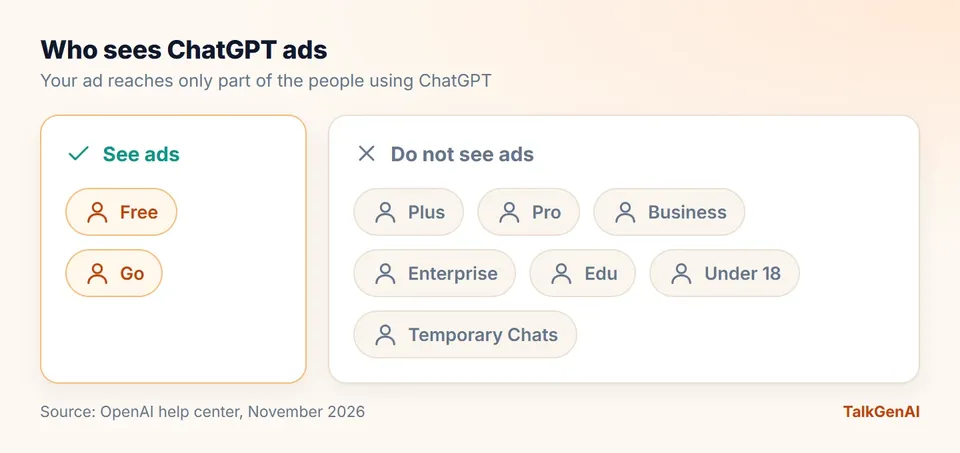
This does not make B2B impossible, but it means a B2B campaign reaches only the part of your market that uses the free or low-cost tiers.
Check 2: can someone take a small step, not just book a demo?
The public results are few and small, but they lean one way.
- Flipsnack, a document software company, published its results in an OpenAI customer story. It reported a 75% lower cost per registration and 310% more registrations after changing how it ran campaigns. Its goal was a signup. These figures are self-reported by the advertiser and published by OpenAI.
- Two B2B agency tests produced no leads. Windmill Strategy spent $1,470 over a month promoting its own agency services and got 259 clicks and no tracked form submissions. It optimised for clicks, because optimising for conversions was not yet available when it started. Workshop Digital spent $2,319 across three campaigns and got 739 clicks and no qualified lead, while Google Search delivered all of its qualified leads. Both say it is too early to write the channel off.
These are small samples, run by agencies, and neither page says exactly what the ads offered, so we cannot say the offer was the cause. Our reading, which is an inference and not a proven rule, is that a free signup, trial or free check is a smaller commitment than a contact form for someone in the middle of asking an AI a question. If your only offer is a demo or a form, expect a harder test.
Check 3: can you measure the result?
OpenAI offers three objectives: views, clicks, and conversions. The conversions objective needs a tracking pixel (called oaiq) or the Conversions API, plus one standard event you want to optimise for, such as registration_completed, lead_created, trial_started or subscription_created.
This matters because Flipsnack's improvement came from moving from clicks to conversions. Without a pixel you are limited to optimising for clicks, which tells the system nothing about whether a click turned into anything.
Also add UTM parameters to every ad link, so your analytics shows where visits came from.
Check 4: do you have a landing page for each use case?
OpenAI recommends a specific page for each ad, never your homepage, and separate ad groups when different use cases need different messaging.
OpenAI's ad crawler may also read the landing page to decide when the ad is most relevant. So the page is part of the targeting, not only the destination.
In practice that means one ad group per use case, each with its own page that repeats the question the person asked, answers it in the first screen, and has one clear action. Flipsnack did this by splitting one broad campaign into separate campaigns for different use cases.
Check 5: is your budget big enough to learn something?
The daily minimum is USD 25 (EUR 15, ILS 60). A two-week test at that level is about $350. Depending on what clicks cost in your market, that may buy only dozens of clicks. With so few clicks, a result of zero signups does not prove the channel fails. It proves the test was small. Decide in advance what number would make you continue and what would make you stop.
The ad itself, in brief
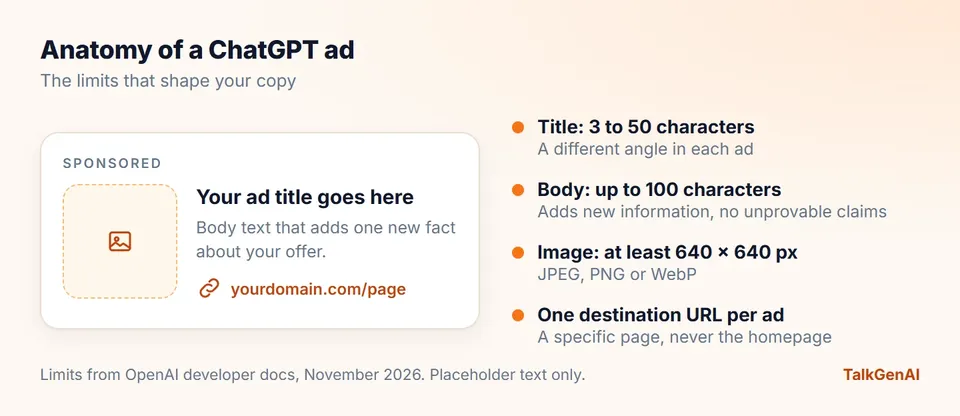
- Title: 3 to 50 characters.
- Body text: up to 100 characters.
- Image: JPEG, PNG or WebP, at least 640 by 640 pixels.
- Destination: one URL per ad.
- Context hints: up to 2,000 per ad group. Write each as one idea, in natural language. Hints cannot exclude topics, and OpenAI does not guarantee delivery.
- Policy: do not make unfounded claims about outcomes, pricing or comparisons, and do not imply OpenAI endorses you.
Write several ads per group, each with a different angle, rather than one ad with small edits.
Paid placement and being recommended are different things
A paid ad does not make ChatGPT recommend you in its answer. SE Ranking looked at 50,006 commercial prompts in the US, collected on 23 July 2026, and found an ad on 25.94% of them. The advertiser's domain was among the answer's cited sources in only 3.63% of those placements, and the brand was mentioned in 4.44%.
In one small test, Andy Brice, who sells event seating-plan software, paid £289.52 for 2,988 ad clicks between 5 and 28 August 2026 and got 14 installs, a 0.46% click-to-install rate. He reported 4.2% for visits from unpaid ChatGPT recommendations and 5.3% for his Google ads over the same period. That is one seller and a small number of installs, so treat it as a signal, not a benchmark.
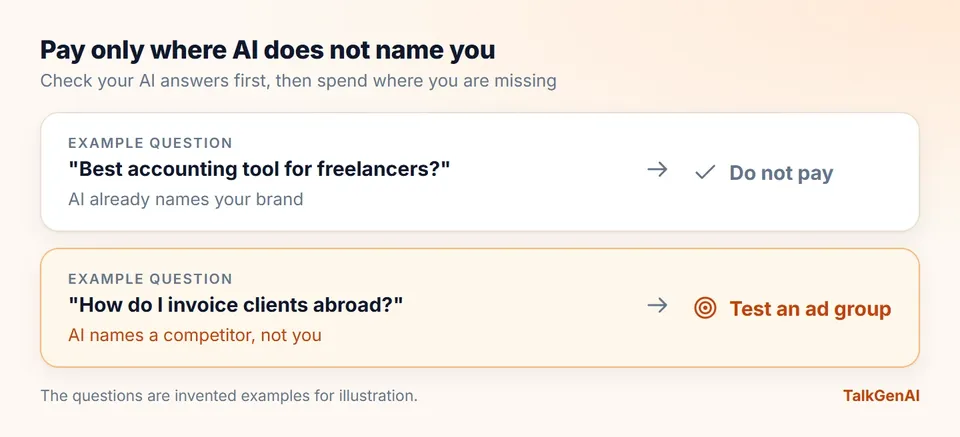
So the order that makes sense is: first find out where ChatGPT already names you and where it does not. Pay for ads only on the questions where it does not. The free AI visibility check in TalkGenAI shows how ChatGPT and Google's AI answers treat your brand for the questions your customers ask, so you can see those gaps before you spend.
Quick checklist
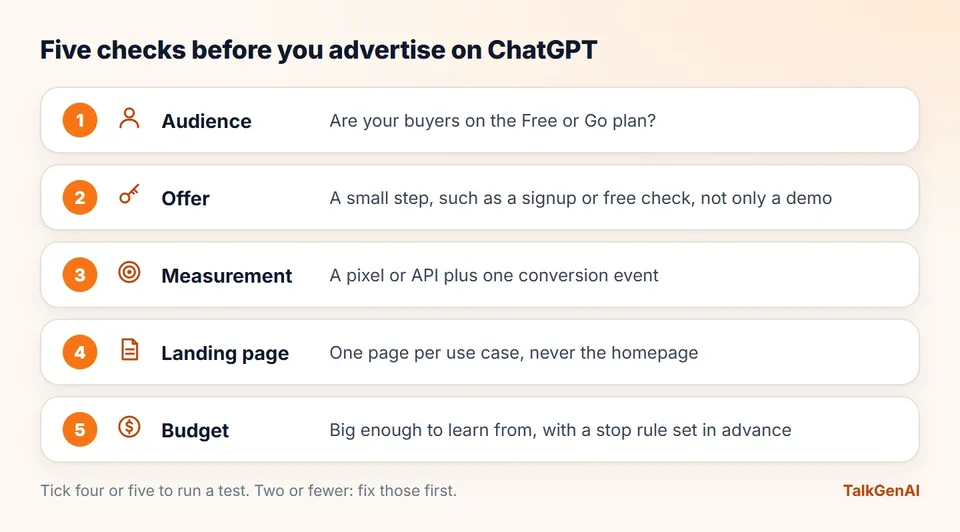
- My buyers use the Free or Go plan.
- I have a low-friction offer: signup, trial or free check.
- I can fire a conversion event with the pixel or API.
- I have a matching landing page for each use case.
- My test budget is large enough to read a result, and I set the stop rule in advance.
If you can tick four or five, a test is reasonable. If you can tick two or fewer, fix those first. A campaign that fails for a predictable reason teaches you nothing.
How TalkGenAI can help you with these checks
TalkGenAI does not run your ads or sit inside OpenAI's ads platform. What it does is the work that comes before and around a campaign:
- See where you stand before you pay. Run an AI visibility check on the questions your customers ask. It shows how ChatGPT, Google AI Overviews and Google AI Mode treat your brand: which questions name you, which name your competitors instead, and which pages they cite. Questions where you are already named are the ones you do not need to pay for. The questions where you are missing are your starting list for ad groups and context hints.
- Fix the gaps that cost nothing to fix. The results include a short list of quick wins: places such as forums, review sites and "best of" lists where AI answers already look, and pages on your own site that need a missing answer. You post and publish these yourself.
- Close the gap on your own site. For a page that should be cited but is not, TalkGenAI suggests additions to that page. It adds to what you have and does not rewrite it. You review and apply each suggestion.
- Write the pages that answer those questions. TalkGenAI drafts SEO articles for the questions where you are missing, in your brand voice. Each one is saved as a draft and you approve it before anything goes live. A page that answers the question well can help both your search traffic and your chances of being cited. It does not guarantee either.
- Come back and see what moved. Re-check your key questions and compare. If ChatGPT starts naming you for a question you were paying to cover, you can decide whether that ad group is still worth its budget.
What you still do yourself: set up the ad account, the pixel and the conversion event, build the landing pages that carry your signup, and decide the budget. TalkGenAI gives you the evidence and the content, not the campaign.
Start with the free AI visibility check, then use the results to decide where a test is worth running.
Frequently asked questions
Who sees ChatGPT ads?
Free and Go users. Plus, Pro, Business, Enterprise and Edu users do not see them.
How much do ChatGPT ads cost?
OpenAI sets a minimum daily budget of USD 25. It also says there is no recommended bid, so your cost per click depends on your market and your objective. Test small and measure.
Do I need a pixel?
Only for the conversions objective. Without it you are limited to clicks or views.
Are ChatGPT ads good for B2B?
It depends on the offer. Two early agency tests produced no tracked leads from ChatGPT ads. They were small and optimised for clicks, and many business users are on plans that show no ads. Signup-style B2B products have a better case, but the evidence is still thin.
Can I target by keyword?
No. You write context hints, which are natural phrases about what you offer and who it helps.