Last updated: 2026-11-18
What does this robots.txt generator do?
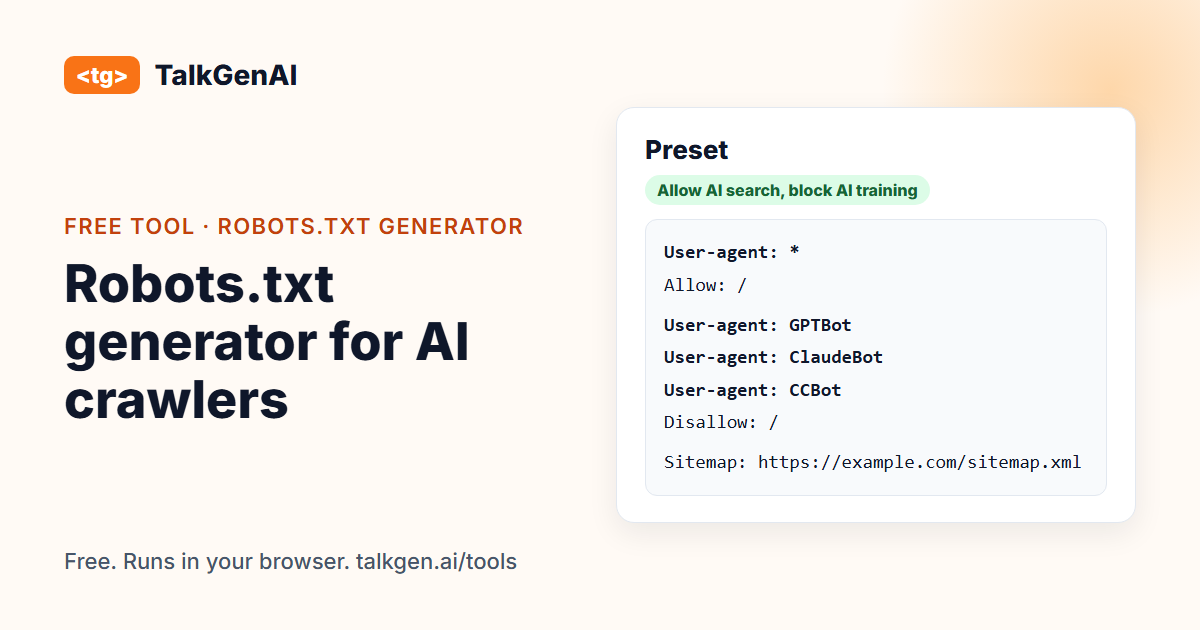
It builds a robots.txt file that names the AI crawlers you want to allow or block, and leaves classic search crawlers alone unless you choose otherwise. You pick a preset, adjust crawlers one by one, add WordPress defaults, extra paths to keep private and a sitemap address, and copy the result. The verdict line above the file is produced by the same engine as our robots.txt checker, so what the page says the file does is what it does.
Which preset should I choose?
| Preset | What it does | Pick it when |
|---|---|---|
| Allow everything | No AI crawler is blocked | You want maximum visibility in AI answers and do not mind being used for training |
| Allow AI search and assistants, block AI training | Blocks GPTBot, ClaudeBot, CCBot, Bytespider, meta-externalagent and the Google and Apple training tokens. Leaves ChatGPT search, Claude search, Perplexity and the user-request fetchers open | You want to be cited in answers but kept out of model training. The common middle path |
| Block all AI crawlers | Blocks every AI crawler in the table. Googlebot, Bingbot, Applebot and Amazonbot stay allowed | You do not want AI products to read the site at all, and accept that assistants cannot cite you |
What does each crawler do?
Crawlers from one company often do different jobs, so a single "block OpenAI" switch hides a real decision.
| Crawler | Company | Job |
|---|---|---|
| OAI-SearchBot, Claude-SearchBot, PerplexityBot | OpenAI, Anthropic, Perplexity | Finds pages to show and cite in AI search answers |
| ChatGPT-User, Claude-User, Perplexity-User, DuckAssistBot | Same, plus DuckDuckGo | Opens a page because a person asked it to |
| GPTBot, ClaudeBot, CCBot, Bytespider, meta-externalagent | OpenAI, Anthropic, Common Crawl, ByteDance, Meta | Collects pages to train models |
| Google-Extended, Applebot-Extended | Google, Apple | Not crawlers. Control tokens for whether your content is used for their AI training |
| Googlebot, Bingbot, Applebot, Amazonbot | Google, Microsoft, Apple, Amazon | Classic search crawlers. Their results also feed AI features, so blocking them costs you search too |
OpenAI describes its three crawlers in its bots documentation, and Google lists its control tokens in its crawler overview.
How do I publish the file?
- Copy the generated text, or use Download robots.txt.
- Save it as
robots.txt, plain text, and upload it to the root of your domain so it loads atyourdomain.com/robots.txt. On WordPress you can use your SEO plugin's file editor or upload it by FTP. - Open the address in your browser and check it is your file. A CDN, host or plugin can serve a different one.
- Run the robots.txt checker on your domain to confirm each crawler gets the result you intended.
What are the common mistakes?
Disallow: /underUser-agent: *. That blocks every crawler, search engines included. It is the most common way to disappear from Google.- Editing the wrong file. A staging site, a subdomain or a plugin may serve a different robots.txt than the one you changed.
- A CDN rewriting it. Cloudflare's managed robots.txt can replace yours with its own AI rules.
- Treating it as a lock. robots.txt asks. It does not stop a crawler that ignores it, and it does not hide a page from someone who has the link.
- Blocking and expecting citations. An assistant that cannot read your page cannot cite it.
How common is blocking AI crawlers?
The numbers depend on who was counted.
| Finding | Source |
|---|---|
| 2.27% of 24,550 German-speaking-region domains blocked GPTBot in robots.txt (August 2026) | Ahrefs |
| About 25% of the top 1,000 websites block GPTBot, roughly flat since 2024 | presenc.ai |
Large publishers block far more often than ordinary sites. If you are not a publisher selling access to your content, the useful question is not "who else blocks" but "do I want assistants to be able to cite me".
What comes after the file?
Access is the floor. Crawlers can only cite pages that exist and answer the question being asked. TalkGenAI writes those articles in your brand voice and saves them to your blog as drafts. You can try it free.
Frequently asked questions
How do I block GPTBot in robots.txt?
Add a group that names the crawler and disallows everything: User-agent: GPTBot on one line and Disallow: / on the next. The generator writes this for you when you tick GPTBot. It blocks only that crawler and leaves others unchanged.
Will blocking GPTBot stop ChatGPT from citing my site?
Not by itself. OpenAI documents separate crawlers for separate jobs: GPTBot for model training, OAI-SearchBot for ChatGPT search results, and ChatGPT-User for pages a user asks it to open. Blocking GPTBot keeps your pages out of training. Blocking OAI-SearchBot is what removes you from ChatGPT search.
Does blocking Google-Extended hurt my Google rankings?
Google documents Google-Extended as a control token for use of your content in Gemini training and grounding, separate from Google Search. Blocking it does not remove you from Search. Blocking Googlebot does, which is why no preset touches Googlebot.
Should I block AI crawlers at all?
It is a choice about two different things. Blocking AI training crawlers keeps your pages out of model training. Blocking AI search and assistant crawlers keeps you out of the answers those products give, and so out of their citations and referrals. Many sites block the first group and allow the second.
Does robots.txt actually stop AI companies from using my content?
It asks well-behaved crawlers to stay away. It is voluntary, it is not access control, and some operators say requests made on a user's behalf may not follow it. If content must be private, put it behind a login.
Where do I put the robots.txt file?
At the root of the domain, so it loads at yourdomain.com/robots.txt. A robots.txt in a subfolder is ignored. Each subdomain needs its own file.
I use Cloudflare. Will my file be used?
Not always. Cloudflare can serve its own managed robots.txt, with its own rules for AI crawlers, in place of yours. After you publish, open yourdomain.com/robots.txt and confirm what is really served, or run the robots.txt checker on your domain.
Is my data sent anywhere?
No. The generator runs entirely in your browser. Nothing you type is sent to us.