Last updated: 2026-11-18
What does this robots.txt checker do?
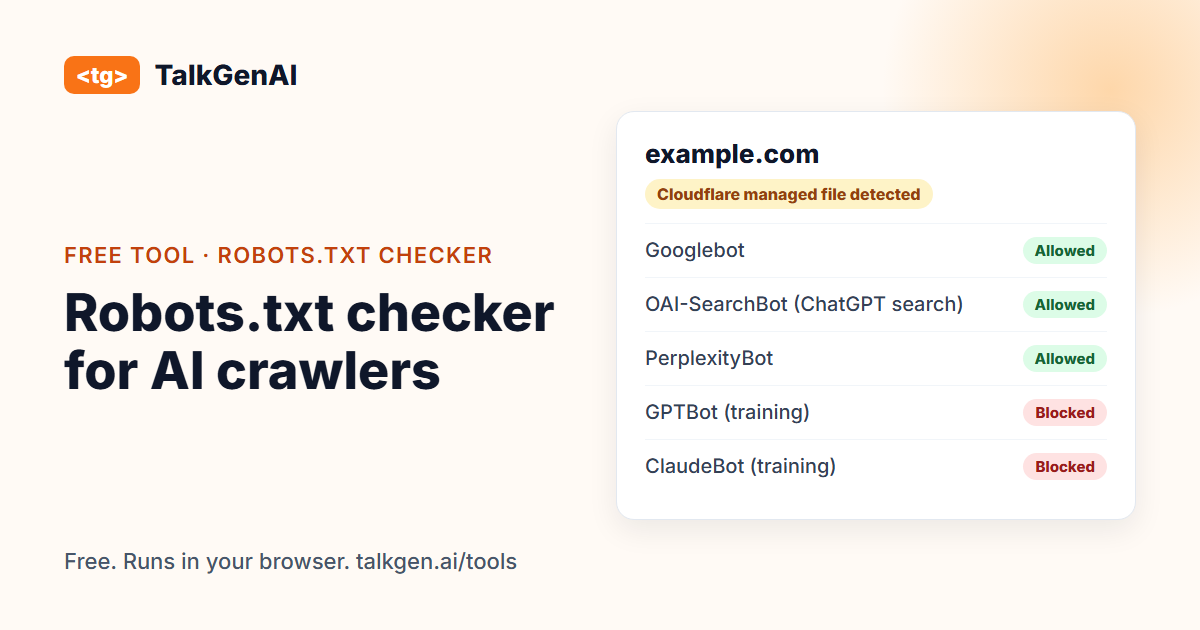
A normal robots.txt tester tells you whether Googlebot can fetch a URL. This one also tests the crawlers that decide whether ChatGPT, Claude and Perplexity can read and cite you, and it explains who wrote the rules. It reads your robots.txt and answers three questions. Which AI crawlers can read your site? Which ones are blocked, and by which line of the file? And did you write those rules, or did Cloudflare write them for you?
Crawlers differ in what they do, so the result is grouped by purpose. Search and assistant crawlers (OAI-SearchBot, ChatGPT-User, Claude-SearchBot, Claude-User, PerplexityBot) fetch pages so an AI product can answer a question and link to you. Training crawlers (GPTBot, ClaudeBot, CCBot, Bytespider, meta-externalagent) collect pages to train models. Search engines (Googlebot, Bingbot, Applebot) index pages, and their results also feed AI features. Blocking the first group costs you citations. Blocking the second is a policy choice. Blocking the third costs you search traffic.
How do I read the result?
| Headline | What it means | What to do |
|---|---|---|
| robots.txt blocks Googlebot or Bingbot | Search engines cannot crawl you | Fix first. Remove the rule or add an Allow |
| AI search and assistant crawlers are blocked | ChatGPT, Claude or Perplexity cannot read pages to cite them | Decide if that is intended. If not, remove the rule |
| AI search is open, training crawlers blocked | Assistants can cite you, models are not trained on you | Usually fine. It is a choice |
| Does not block any AI crawler we check | The file is open | Check your CDN or firewall next |
"Partly restricted" means the home page is open but a path such as a blog or product folder is not. The rule that decided each result is shown next to it, with its line number.
Why would Cloudflare block AI crawlers on my site?
Cloudflare offers a managed robots.txt, and controls for AI crawlers under AI Crawl Control. When the managed file is on, Cloudflare serves its own robots.txt that includes a Content-Signal line and Disallow: / for a list of named AI crawlers. Site owners often turn it on once, or inherit it, and forget it.
We found this on our own site. In September 2026 our robots.txt blocked GPTBot, ClaudeBot, Google-Extended and five other crawlers, and we had not written any of it: Cloudflare's setting had. We also found a second layer: even after the file was cleaned up, the crawlers still received a 403 from Cloudflare, until we changed the Block AI bots setting to allow crawlers. A site can look open in robots.txt and still be closed at the CDN. That is why the result box always explains what a file cannot show.
Cloudflare's own documentation describes the managed robots.txt: Cloudflare managed robots.txt. On 15 September 2026 Cloudflare also changed its AI crawler defaults. Coverage such as Search Engine Journal's report says that blocking the Training category can also catch mixed-purpose crawlers like Googlebot. We have not verified that against Cloudflare's own changelog, so check Search Console after you change anything.
How do I fix a block?
- If the rules come from Cloudflare: open AI Crawl Control (older dashboards call it Security, Bots, Block AI bots) and set it to allow the crawlers you want. Turn off the managed robots.txt if you prefer to write your own.
- If the rules are in your own file: a plugin, your host, or an old template may have added them. Remove the
Disallow: /lines for the crawlers you want, or add a more specificAllowline. - Check the firewall: in Cloudflare, look at WAF custom rules for anything that challenges or blocks by user agent or verified-bot category.
- Wait, then re-run: CDN changes take a few minutes. Right after saving, some crawlers can still look blocked.
What can't this tool tell me?
It reads a file. It does not prove a crawler can get through. Crawlers are verified by IP address, so we cannot send a fake GPTBot request from our server and trust the answer: a correctly configured site would refuse it, and you would be told your site is blocked when it is not. We tested that approach on our own tooling in September 2026 and it produced exactly that false alarm, so we do not ship it.
For real proof, look at your server or CDN logs for the crawler user agents and the status codes they received. A 200 means they got in. A 403 or 429 means something stopped them.
What does the data say about AI crawler blocking?
The numbers vary a lot by sample, so treat them as ranges:
| Finding | Source |
|---|---|
| 2.27% of 24,550 German-speaking-region domains blocked GPTBot in robots.txt (August 2026) | Ahrefs |
| About 25% of the top 1,000 websites block GPTBot, roughly flat since 2024 | presenc.ai |
| 97% of llms.txt files received zero requests in a study of 137,210 domains | Ahrefs |
The last row matters for this page: adding an llms.txt file is not a substitute for letting crawlers in. Start with access.
What should I do once AI crawlers can read my site?
Access is the floor, not the win. Crawlers can only cite pages that exist and answer the question being asked. TalkGenAI writes those articles, in your brand voice, and saves them to your blog as drafts. You can try it free.
Frequently asked questions
How do I know if GPTBot or ClaudeBot is blocked on my site?
Open yourdomain.com/robots.txt. A block looks like a User-agent line naming the bot followed by Disallow: /. This tool does that reading for you, applies the standard matching rules (longest rule wins, Allow beats Disallow on a tie), and shows the exact line that decided each result.
Should I block AI crawlers?
It depends on the crawler's job. Blocking AI search and assistant crawlers (OAI-SearchBot, ChatGPT-User, Claude-SearchBot, PerplexityBot) means those products cannot read and cite your pages. Blocking training crawlers (GPTBot, ClaudeBot, CCBot) keeps your pages out of model training but does not stop assistants from citing you. Many sites block training and allow search.
Why does my robots.txt block bots I never mentioned?
Cloudflare can publish a managed robots.txt for your domain. It adds a Content-Signal line and Disallow rules for named AI crawlers. If your hosting or CDN is Cloudflare and the file looks like the one described in this article, check AI Crawl Control in your Cloudflare dashboard.
Robots.txt says Allow, but AI assistants still never visit. Why?
robots.txt is only a request. A CDN, firewall or bot-protection rule can return 403 to a crawler no matter what robots.txt says. Look in your server or CDN logs for 403 or 429 responses to GPTBot, ClaudeBot or PerplexityBot.
Can this tool test whether Cloudflare really blocks a crawler?
No, and we chose not to fake it. Cloudflare verifies AI crawlers by IP address, so a request from our server pretending to be a crawler would be refused even on a correctly configured site and would give you a false alarm. The honest evidence is your logs.
Does the tool store my domain or robots.txt?
No. We fetch the file once, keep it in memory for up to an hour so repeat checks are fast, and do not log which domains are checked. Parsing and scoring happen in your browser. Pasting a file never sends it anywhere.
Does blocking AI training also block Googlebot?
It can on Cloudflare. Industry coverage of Cloudflare's 15 September 2026 changes reports that crawlers which do both search and training, such as Googlebot, Bingbot and Applebot, can be caught by a Training block. Confirm the details in Cloudflare's documentation, and check Search Console for crawl errors after changing the setting.