Last updated: 2026-11-18
What does this GEO checker test?
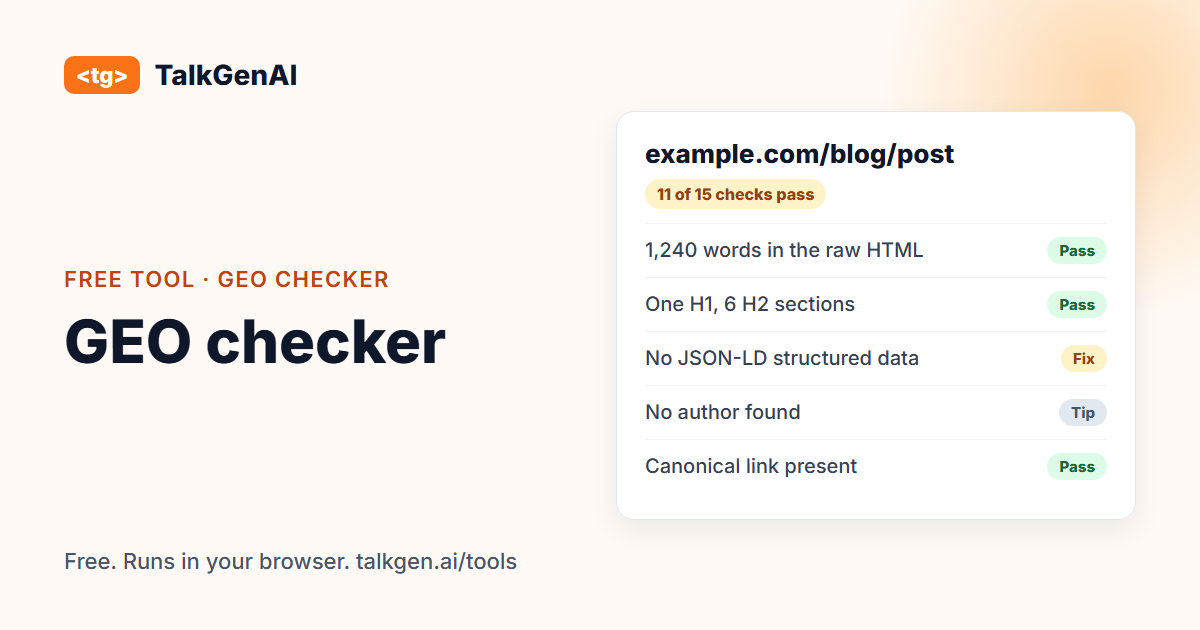
It downloads one page as raw HTML, the way a crawler that does not run JavaScript receives it, and runs a set of readability and structure checks. It groups them into five areas and gives each a Pass, Fix, Problem or Tip.
| Area | What is checked | Why it matters |
|---|---|---|
| Readable without JavaScript | How many words of text are in the raw HTML | A crawler cannot quote text that only appears after scripts run |
| Structure | One H1, several H2 sections, question-style headings, a short opening paragraph, lists or tables | Sections that stand alone are easier to match to a question and lift as an answer |
| Page signals | Title, meta description, canonical link, language, robots meta tag | Basics that say what the page is, and whether it may be indexed or quoted |
| Structured data | JSON-LD parses, which schema types are present, a date, an author | Says what the page is in a machine-readable way and signals freshness and trust |
| Images, links, sharing | Alt text, internal links, outside sources, Open Graph tags | Context, navigation and how the page looks when shared |
Checks marked Problem or Fix are things that can plainly hurt. Tips are common guidance that helps in many cases, not rules.
Why look at the raw HTML?
Googlebot renders JavaScript before indexing. The AI crawlers we know of, such as GPTBot, ClaudeBot and PerplexityBot, generally fetch the HTML and read what is there. Their operators do not always document this, so the safe assumption is that anything added by JavaScript is invisible to them. If your page is built in the browser, a crawler may see only an empty shell.
That is why the result ends with a preview of the exact text a crawler without JavaScript reads. Compare it with the page you see. If it is much shorter, that gap is your first fix.
What does the research say about writing for AI answers?
The term GEO comes from a 2023 research paper by Aggarwal and colleagues (published at KDD 2024), which reported that changing how content is written can raise its visibility in AI answers by up to 40% on their test set. We cover what that does and does not mean, with our own numbers, in GEO vs SEO vs AEO and LLM SEO. The short version: clear answers, facts you own and visible sources do most of the work, and the checks above are the technical floor under that.
How do I fix the common problems?
- Almost no text in the raw HTML. Server-render the page or pre-render it at build time. Most frameworks and site builders have a setting for it. Check the result with this tool.
- No structured data. Add JSON-LD in the page head: Article for posts, Product for products, FAQPage where you really have questions and answers, Organization on the home page. Validate it with Google's Rich Results Test or the Schema.org validator.
- A robots meta tag restricts the page. Remove
noindexornosnippetif you want the page found and quoted. Note that a header-level X-Robots-Tag cannot be seen by this tool. - No date or author. Show a visible "last updated" date and name the author, ideally with a page about them.
- No outside links. Link to the sources you rely on. It shows where your facts come from.
What can't this tool tell me?
- Whether an assistant will cite you. That depends on the question, the competition and the retrieval system.
- How the page ranks in Google. Use Search Console for that.
- Whether your CDN lets AI crawlers in. A page that downloads for us may still be refused to a real crawler. Check your robots.txt with the robots.txt checker and your logs for 403 responses.
- Anything behind a login. Paste the page source instead.
What comes after a clean report?
A page that can be read still needs something worth quoting. TalkGenAI writes articles that answer real questions in your brand voice and saves them to your blog as drafts. You can try it free.
Frequently asked questions
What is GEO?
GEO, generative engine optimization, is making your content easy for AI assistants such as ChatGPT, Claude, Perplexity and Gemini to read, quote and link. Most of the work overlaps with good SEO: pages that answer one question clearly with facts you own. What differs is how you measure it.
Why does the checker read the page without JavaScript?
Googlebot renders JavaScript, but the AI crawlers we know of generally fetch the HTML and read what is in it. Operators do not always document this, so the safe assumption is that text added by JavaScript is invisible to them. The raw HTML is what you can rely on.
Does passing every check mean ChatGPT will cite my page?
No. The checks cover whether a page can be read and understood. Being cited also depends on whether the page answers a question people ask, whether the facts are better than competing pages, and what the assistant chooses to retrieve. Treat the result as removing obstacles, not as a prediction.
Is this a schema markup validator?
Partly. It finds your JSON-LD blocks, tells you if any is invalid JSON, and lists the types it found. It does not check every field against schema.org or Google's rules. For that, use Google's Rich Results Test or the Schema.org validator.
The page looks empty to the checker but fine in my browser. Why?
It is probably built in the browser by JavaScript. The server sends a mostly empty page and scripts fill it in. A crawler that does not run scripts sees the empty page. Server-side rendering or pre-rendering the page fixes it.
Why was my page refused?
Some sites block automated requests. Open the page in your browser, view the source, copy it and paste it into the checker. Everything else works the same.
Do you store the page I check?
No. We download it once, do not cache or log it, and the analysis happens in your browser. A pasted page is never sent anywhere.